
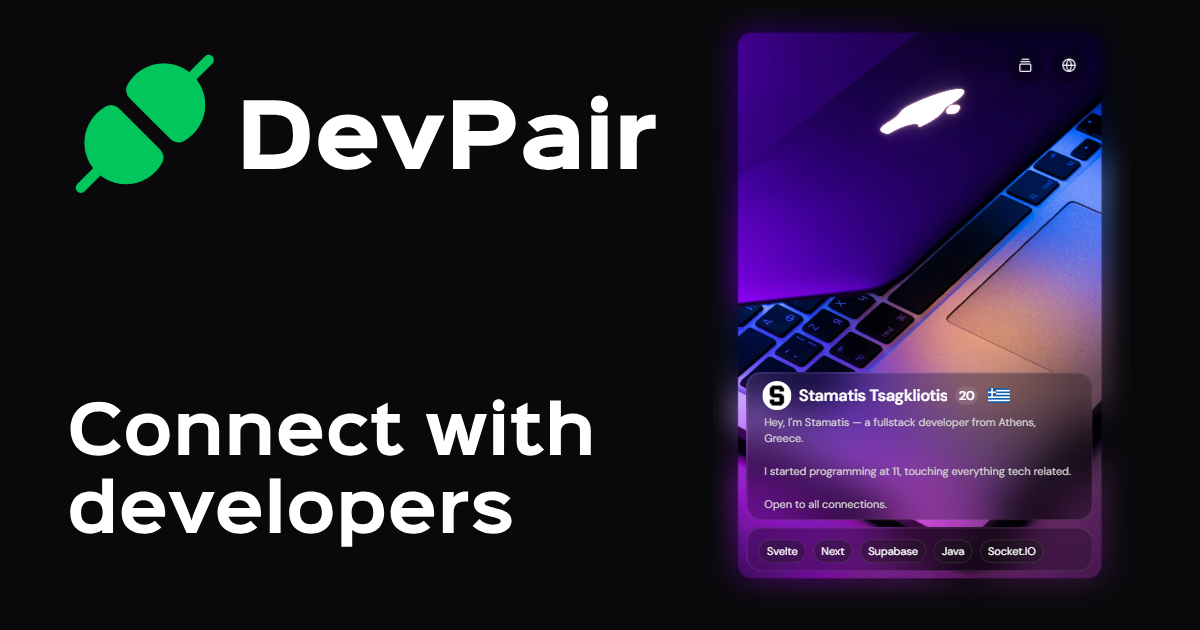
DevPair - Social Network for Devs

Stamatis Tsagkliotis
7 min read
·17 May 2026
The idea behind the platform
It all started when I was casually looking at several Discord communities that were aimed at connecting developers from different parts of the world.
It was such a burden to find people of my level, with similar interests and around my age that I could relate with. My drive for startups was at an all-time high and I had to find people ASAP.
I was aware that there exist several platforms that connect people but not developers specifically so I had the idea of building one myself (as I usually do).
Starting out
April 20 2025.
That was when I pushed the first commit to DevPair's repository.
Back then it was a period of a lot of free time for me so I had the energy and drive to build the project quickly.
I started streaming my progress in a Discord Coworking server and I was really excited to have other people motivate me to keep going, from all kinds of professions.
Architecture
My de-facto architecture for quick apps like this one is: Next, Tailwind, shadcn, Supabase, PostHog, Stripe, Socket.IO & ImageKit. It is hands-down the fastest way to develop & deploy an app with enormous community support.
Apart from the obvious first 3 choices, Supabase is the easiest database to setup and PostHog includes Session Replay which is a huge standout feature to me.
Payments are handled by Stripe, which has a very low learning curve and is easy to integrate with.
For real-time chats I used Socket.IO (throwback to Fronvo) which is also an industry standard as a low-latency, room-based WebSocket implementation.
Last but not least, ImageKit is my go-to provider for image & video hosting. Apart from generous storage limits & bandwidth, it has a killer feature: Image Transformations. Need an image scaled down to 64x64? Just append /tr:w-64,h-64 to the URL and that's it.
Card implementation
First of all, I wanted to focus on the product design rather than performance since it was supposed to be a weekend app.
The main scope was clear: Make live cards of developers so that other users can swipe right / left on them.
I used react-tinder-card and framer-motion for the swiping card functionality.
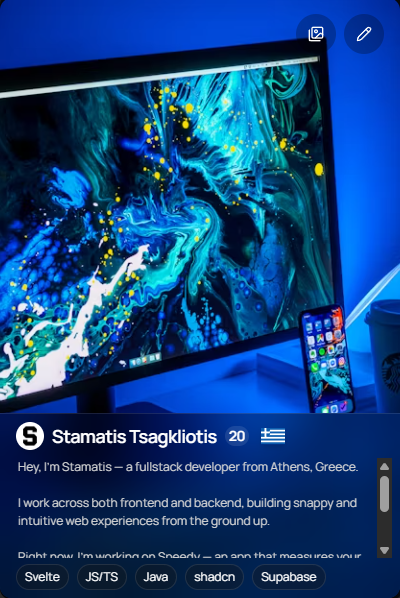
This is the first iteration I made for that concept:
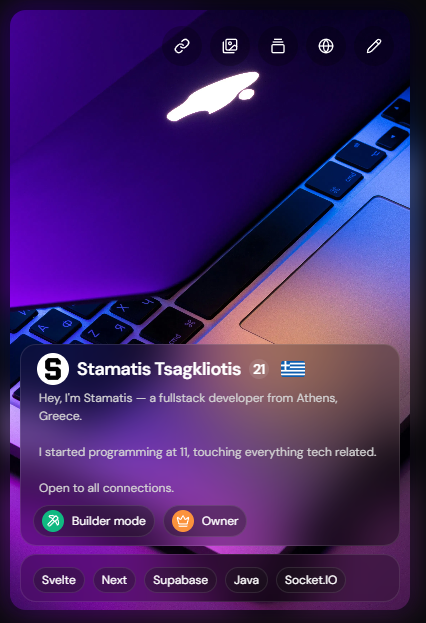
Taking inspiration from my past translucent user interfaces (including the homepage you're reading this blog on) I went with the following card design:
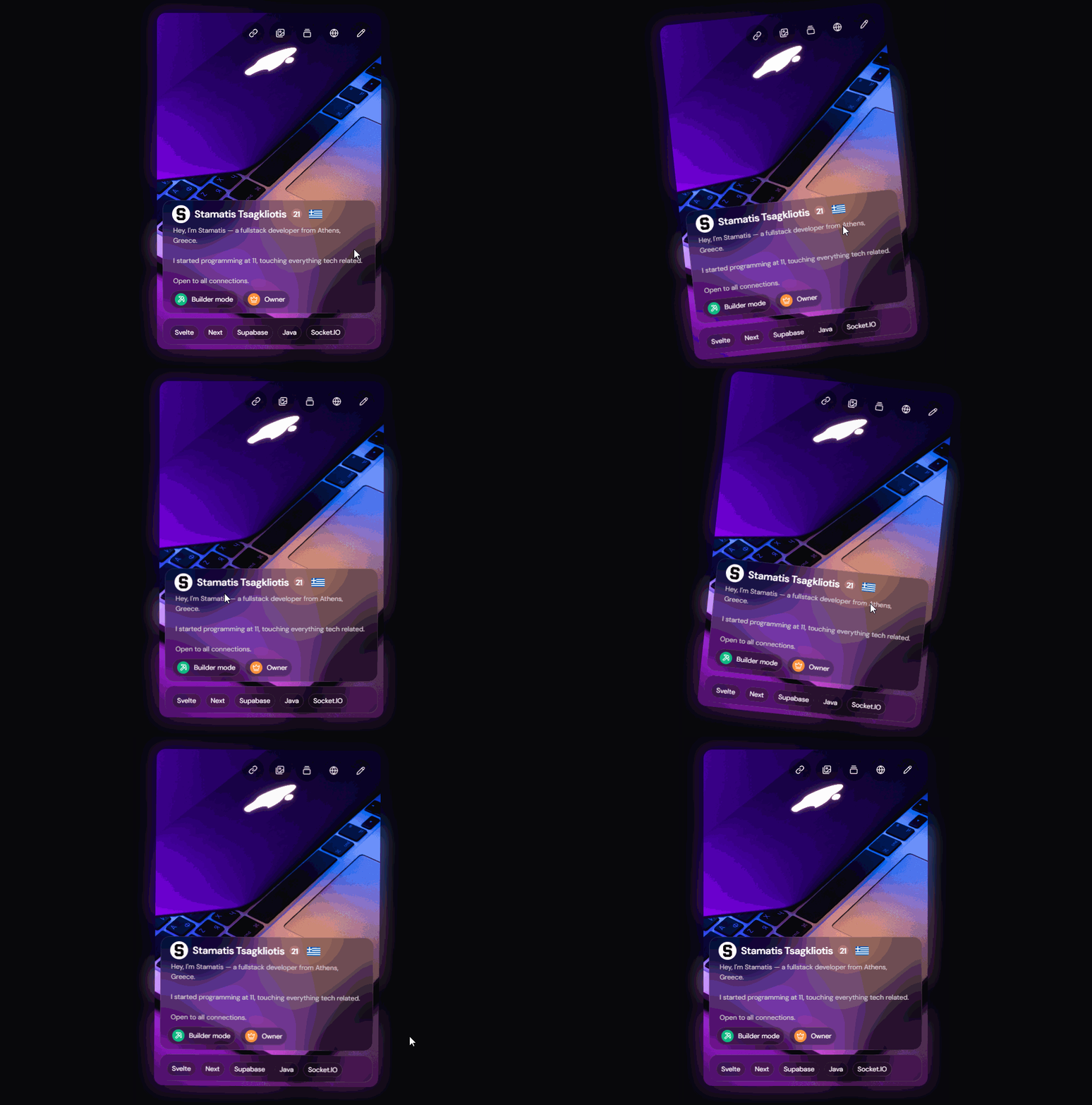
And finally, the swiping animation in action:
Customising your card
Each card contains several clickable buttons.
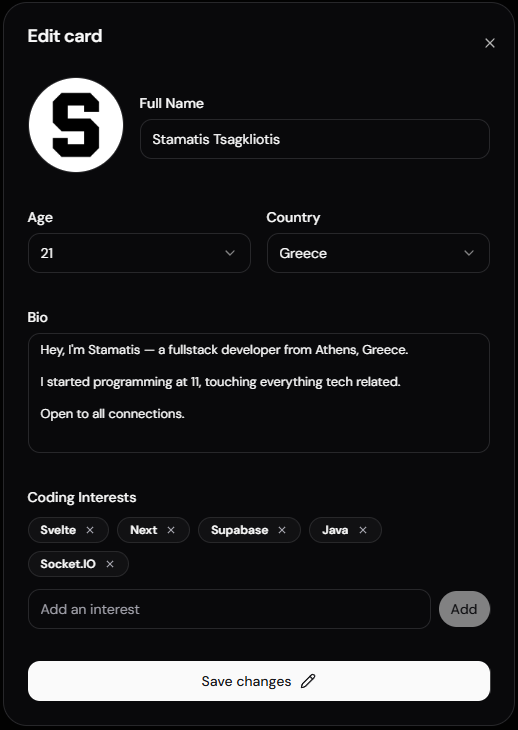
Edit profile
We edit our profile by calling /api/updateUser with the input data we have from the Edit Profile dialog.
User country was inferred with the use of an external API call to https://ipregistry.co.
An example request would be like so:
{
  name: "Stamatis Tsagkliotis",
  bio: "A Greek fullstack developer.",
  country: "Greece",
  interests: ["JS", "Svelte", "Socket.IO"],
  age: 21
}
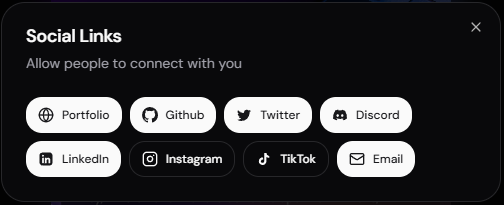
Social links
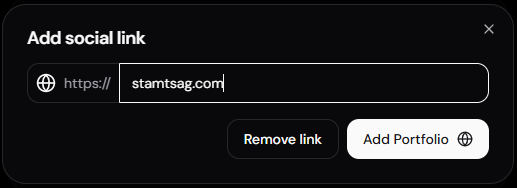
We can edit our social links by calling /api/updateUser with the following format:
{
  github: "https://github.com/..."
}
To remove a social link we can send a request to the same endpoint like so:
{
  github: ""
}
Available social keys: portfolio, github, twitter, linkedin, instagram, tiktok, discord, emailSocial.
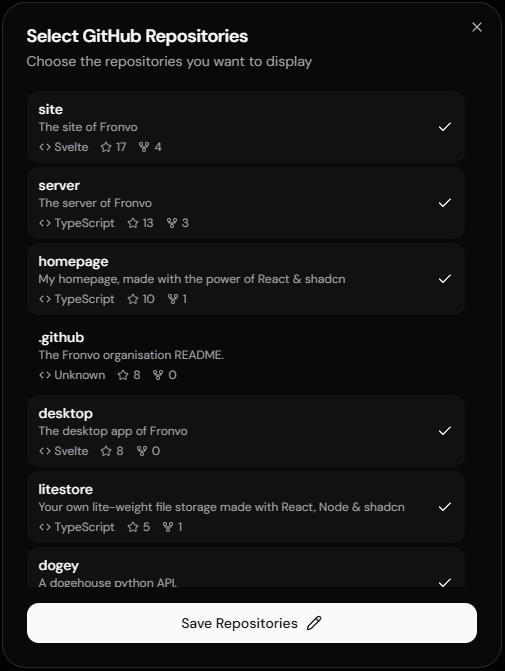
Github Projects
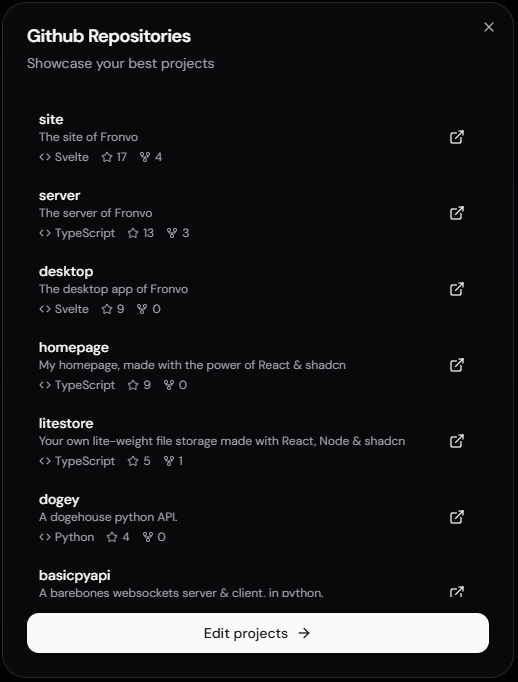
We can edit our Github projects by selecting the listed items on the dialog.
Projects are automatically synced by signing in with Github on DevPair.
An example request to /api/updateUser to update our projects:
{
  projects: [
    {
        id: 415278009,
        name: "site",
        description: "The site of Fronvo",
        html_url: "https://github.com/Fronvo/site",
        stars: 17,
        forks: 4,
        language: "Svelte"
    },
  ]
}
Gallery
The gallery feature allows us to upload up to 3 images to showcase on our developer card.
Images are uploaded via a POST request to /api/updateGallery with the following format:
{
  image: "data:image/jpeg;base64,...",
  index: 0 // 0-based index, must be between 0-2
}
The API handles uploading the image to ImageKit and returns the transformed URL. Images must be under 5MB in size.
To remove a gallery picture, users can call /api/removeGalleryPicture with the index of the target image:
{
  index: 1 // Remove the second image (0-based index)
}
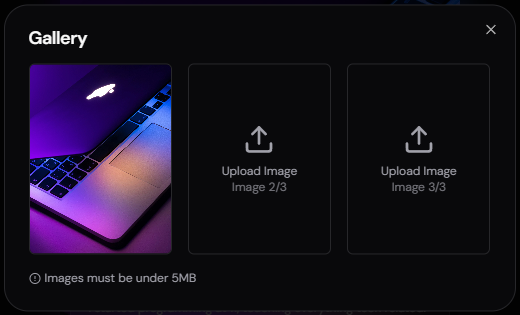
I also had the idea of alternating between the images automatically if more than 1 was present but that would require animations beyond my scope of work.
Share Card
The share card feature is a Builder Mode exclusive that allows premium users to generate and share their unique developer card link.
To regenerate/update your custom link, send a POST request to /api/updateUserLink:
{
  link: "stam" // Your desired username (3-20 characters)
}
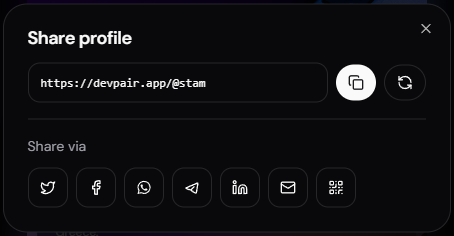 Pssst, check out my card at https://devpair.app/@stam.
Realtime Chatting
After finishing the main card functionality, my next goal on the horizon was communication between matched developers.
As you may know from my previous blog, Socket.IO is hands-down the best option for anything realtime in my opinion.
After a lot of experimentation I ended up with this design:
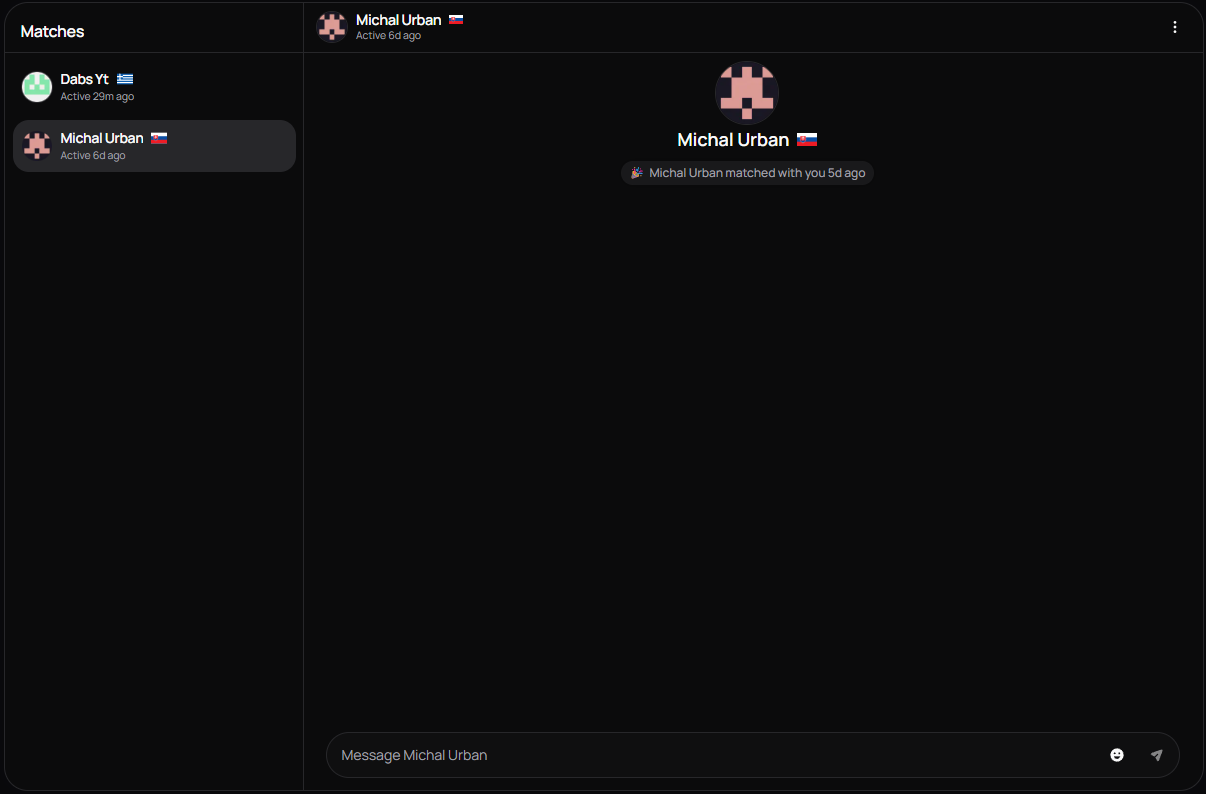
Simple, straight to the point and matched my expectations for a quick app to find other developers on-the-fly.
Later on, I added an option to disable the active status of a developer while hiding your matches' online status aswell.
Builder Mode
Builder Mode is the premium subscription tier of DevPair, designed for serious developers who want to maximize their networking potential.
It is currently available at two price points:
- Monthly: $4.99/month
- Yearly: $34.99/year
Features
Unlimited Swipes: Free users have a daily swipe limit, while Builder Mode members can swipe as much as they want.
Profile Badge: A special badge displayed on your card showing you're a Builder Mode member.
Algorithm Priority: Your profile gets priority in the matching algorithm, increasing your visibility to other developers.
Personal Developer Link: Get a custom URL like https://devpair.app/@yourname that you can share on your resume, LinkedIn, or portfolio.
Implementation
The subscription system is built with Stripe and managed through the Plans page.
Payment events are handled through Stripe webhooks at /api/webhooks.
The endpoint listens for two main events:
checkout.session.completed - Triggered when a user successfully subscribes:
customer.subscription.deleted - Triggered when a user cancels their subscription:
The webhook uses Stripe's signature verification to ensure requests are authentic:
const payload = await req.text();
const sig = req.headers.get("stripe-signature")!;
const endpointSecret = process.env.STRIPE_WEBHOOK_SECRET!;

const event = stripe.webhooks.constructEvent(payload, sig, endpointSecret);
Users can manage their subscription through the dashboard, including upgrading, downgrading, or canceling at any time.
Looking back
I've grown a lot as a developer since last year and there's several areas where I could've built the app more efficiently.
First of all, user country could be inferred without external APIs by making use of Cloudflare's cf-ipcountry header.
What's more, projects should've definitely been just an array of project ids and then the server should fill out the data, I never trust the client.
Furthermore, I should have made more use of React.memo while creating the components to ensure a baseline for future app commits without the need for refactoring basic areas.
Supabase Realtime could've been a simpler alternative to Socket.IO albeit with reduced performance. On the other hand, I was also thinking of temporary chats without the need for a database (think anonymous chats that later reveal the actual users with no bias). Supabase Realtime would have been an extra step for that kind of use-case which is why I future-proofed the app.
All in all, the app has served its purpose, allowing me to connect with similar developers from all over the world without having to filter through endless Discord forums.
Sometime in the future I also want to port it to mobile aswell with Expo & React Native but that's a story for another day!
- Stam